Sensorless Homing and Motor Current on an OpenPnP Machine
Two G-codes turn up in almost every thread about an axis homing badly: M914, which moves the threshold at which a driver calls a stall the end of travel, and M906, which sets motor current. Both go in OpenPnP's GcodeDriver CONNECT_COMMAND, and both take axis letters, which is how they get mixed up. On most machines only one of them does anything.
Which kind of axis you have
An axis finds zero in one of two ways. It closes a switch, or its driver notices the motor has stopped turning and treats that as hitting the end. Opulo's tuning guide is blunt about which machines use which: it applies to a LumenPnP V3.2 or older, because a V4 "uses Endstops in place of the sensorless homing that was used in the past". The Vertex 4 shares that platform, and its endstops are part of the assembly checks, from the Y-gantry endstop adjustment to the pre-delivery checklist that asks for the endstop switches to be clear of debris (assembly).
If your axis has a switch, M914 has nothing to tune. It sets a threshold nothing reads.
The published firmware examples disagree with each other here. In Marlin's configuration repository, the example for the Opulo REV3 board has SENSORLESS_HOMING commented out, and the REV4 example beside it has it enabled with X_STALL_SENSITIVITY 60 and Y_STALL_SENSITIVITY 50. The two files also differ on microstepping, 256 against 64. Read your own controller rather than assuming either one.

What a stall trigger does differently
Marlin's SENSORLESS_HOMING puts the driver's own load detection, StallGuard, in place of the switch. DIAG1 is wired to the endstop input it replaces, so the firmware reads a stall through the same path as a switch. The mode the driver has to be in depends on the chip: TMC2209 and TMC2240 home in StealthChop using StallGuard4, while the TMC2130 family homes in SpreadCycle using StallGuard2. Marlin switches the driver into the right mode for the homing move and restores the previous one when it ends.
Two build-time conditions come with it. The endstop hit state of a sensorless axis has to be HIGH for TMC2209 and TMC2240 and LOW for the other supported drivers, and the pull-up has to be on. Get either wrong and the build stops with a message naming the option, which beats a machine that homes into its own frame.
That outcome is possible. The fast move Marlin commands toward the end is 1.5 times the axis length, and it ends when the trigger arrives. A switch that never closes, or a stall the driver never reports, means the carriage keeps going. Marlin halts with its homing failure message, and the controller needs a reset and a reconnect before it will talk again, which is also what Opulo's guide warns about while you test values from the console. Keep a hand near the power switch for the first homing attempt after any change.
Stall machines also back off before the move starts, written in the source as "Back away to prevent an early sensorless trigger", configured by SENSORLESS_BACKOFF_MM. The REV4 example sets it to 2 mm on X and Y.
Tuning the threshold: M914
Marlin describes the command more narrowly than forums use it: it sets the StallGuard sensitivity "in terms of homing threshold (not for stall detection during printing)". The number you tune here changes when a homing move thinks it has arrived, not how the machine behaves during a job.
The direction depends on the driver family, and on one of them it runs the opposite way to the other:
- TMC2209 and TMC2240: 0 to 255, where 255 is the most sensitive.
- TMC2130, TMC2160, TMC5130, TMC5160: -64 to +63, where -64 is the most sensitive.
Both ends have a failure mode, and Marlin spells out both: high sensitivity produces false positives, low sensitivity fails to trigger. A false positive is an axis that declares itself home while still travelling, which reads as a repeatability problem. The other end is an axis that runs into the frame. Marlin's default for X_STALL_SENSITIVITY is 8.
Marlin also recommends setting HOMING_BUMP_MM to zero on a stall machine, because the bump and retry cycle after a trigger gives the axis somewhere to lose the reference it just found. The Opulo example configs ship 5 mm on X and Y and a homing feedrate of 3000 mm/min on every axis, so the values in a working config are not the values the Marlin documentation recommends for the same feature. Change one thing at a time.
Opulo's procedure for V3 machines is short and worth following exactly:
- Find the
M914line inCONNECT_COMMANDunder Machine Setup, Drivers, GcodeDriver, and note the number after the axis you are working on. That is your starting point. - Open the Console and home that axis alone with
G28 XorG28 Y. - If the axis stops before it reaches the end, lower the value. Their example sends
M914 X35. - If it reaches the end and keeps driving, raise the value. Their example sends
M914 X45. Marlin halts after a failed homing attempt, so the controller may need a reset and a reconnect before the next try. - When both axes behave, put the values on one line in
CONNECT_COMMANDand press Apply. They are applied on the next connection.
M914 is marked as an EEPROM setting in Marlin's documentation, so M500 will also store it. Putting the line in CONNECT_COMMAND re-applies it every time OpenPnP connects, which survives a config reload on the software side.
The hybrid threshold trap
One interaction produces a machine that homes past the end and never stops, with nothing visibly wrong in the sensitivity value. If HYBRID_THRESHOLD is enabled, a homing feedrate above the hybrid threshold pushes a TMC2209 back into SpreadCycle, and StallGuard4 only works in StealthChop. The driver loses the ability to detect the stall at the moment it is asked to. Marlin's fix is HOMING_HYBRID_THRESHOLD, kept at zero or set above the homing feedrate, and M913 H changes it at runtime. In the Opulo examples the hybrid thresholds are 100 mm/s on X and Y, which is 6000 mm/min, well above the 3000 mm/min homing feedrate, and the feature itself is commented out.
IMPROVE_HOMING_RELIABILITY and SENSORLESS_STALLGUARD_DELAY address this from the other side: the first lowers acceleration and jerk for the homing move so the motor load is steady, the second pauses after StallGuard is switched on so the driver can settle. The REV4 example enables the first.
Motor current: M906
M906 sets stepper current in milliamps, takes effect immediately, and is saved by M500. On this platform the letters go beyond the three linear axes: A is the left nozzle, B the right nozzle, and C the auxiliary driver, as Opulo's current guide describes. It is the command to reach for when an axis grinds, skips, or runs hot, and also the one most likely to be used to paper over a mechanical problem.
Start with the number the driver reports back, not the number you sent. M122 prints the settings per driver. For one TMC2209 asked for 800 mA:
Set current     800
RMS current     795
MAX current     1120
Run current     25/31
Hold current    12/31
Set current is what Marlin asked for, from X_CURRENT or M906. RMS current is what the driver is really set to, worked back from the current scale, the sense resistor and the sense voltage range, which is why the two numbers differ slightly. MAX current is the peak value, RMS times 1.41. Run current is the scale in use out of 31: a 31/31 beside an RMS current well below Set current means you asked for more than the driver can deliver with the resistor on the board. X_RSENSE also has to match the part fitted on your driver, or every current is wrong by the same ratio. The examples for this board use 0.11 ohms.
Two settings sit under the run current. At standstill, about two seconds after the last move, the driver drops to the hold current, HOLD_MULTIPLIER times the run current, 0.5 in the examples. And on axes that home into something solid, X_CURRENT_HOME can be lower than the run current for the homing move alone. Marlin's note is that a lower homing current makes a stall gentler on the frame. It cannot be higher than the run current: the build stops with *_CURRENT_HOME should be <= *_CURRENT unless ALLOW_HIGHER_CURRENT_HOME is defined. The examples leave it equal to the run current.
For a starting value, Marlin's guidance is 60 to 80 percent of the motor's rated phase current, then adjust by watching for skipped steps and motor temperature. Opulo gives the ceiling for these axes: do not exceed 1500 mA on X or Y, which is about 2.1 A peak after the 1.41 multiplication. The example configs run X, Y and Z at 800 mA, the two nozzle drivers at 700 mA, and the auxiliary driver at 800 mA.
M122 also carries the simplest electrical test on the machine. It reads each driver's status register and reports OK, Error: All LOW when every bit is zero (nothing drives the data line, so check motor power, the socket, the jumpers), or Error: All HIGH when the bits float high (check the receive line, the UART address, the resistor on the line, or another device holding the bus). On this board the TMC UART runs at 19200 baud, reduced in the pins file to keep software serial reliable. The test runs at every startup, so an error that appears on USB power alone and clears when the main supply is on means the drivers had no motor power.
One more command belongs here. M18 S<seconds> in CONNECT_COMMAND sets how long the motors stay energised after the machine goes idle. After that timeout the drivers are disabled and the machine has no position to hold. On a stall machine that also means no load detection, so re-home after a long idle before the first job of a session.
When an axis homes badly, the order I would work in
- Run
M122first. It separates an electrical problem from a tuning problem, and it costs one command. - On a switch machine, tap the switch and watch for the red LED on the switch board, then check the cable at both ends. Home the axes one at a time, parking Z at 31 mm first so the head cannot reach the staging plate.
- On a stall machine, check the sensitivity value, the back-off, the hybrid threshold and the homing current, changing one at a time.
- Only then touch the current. Work upward in small steps, re-home between changes, and watch motor temperature. Lowering current to stop a grind is worth trying, but a machine that only homes cleanly at high current has a drag problem the extra current is hiding.
Homing sets the datum the whole job is measured from, so anything changed here deserves a fiducial check afterwards (Homing & Fiducial). Grinding that skips steps also shows up later as an offset that looks like backlash, and the backlash page explains how to tell the two apart before you compensate for the wrong one.
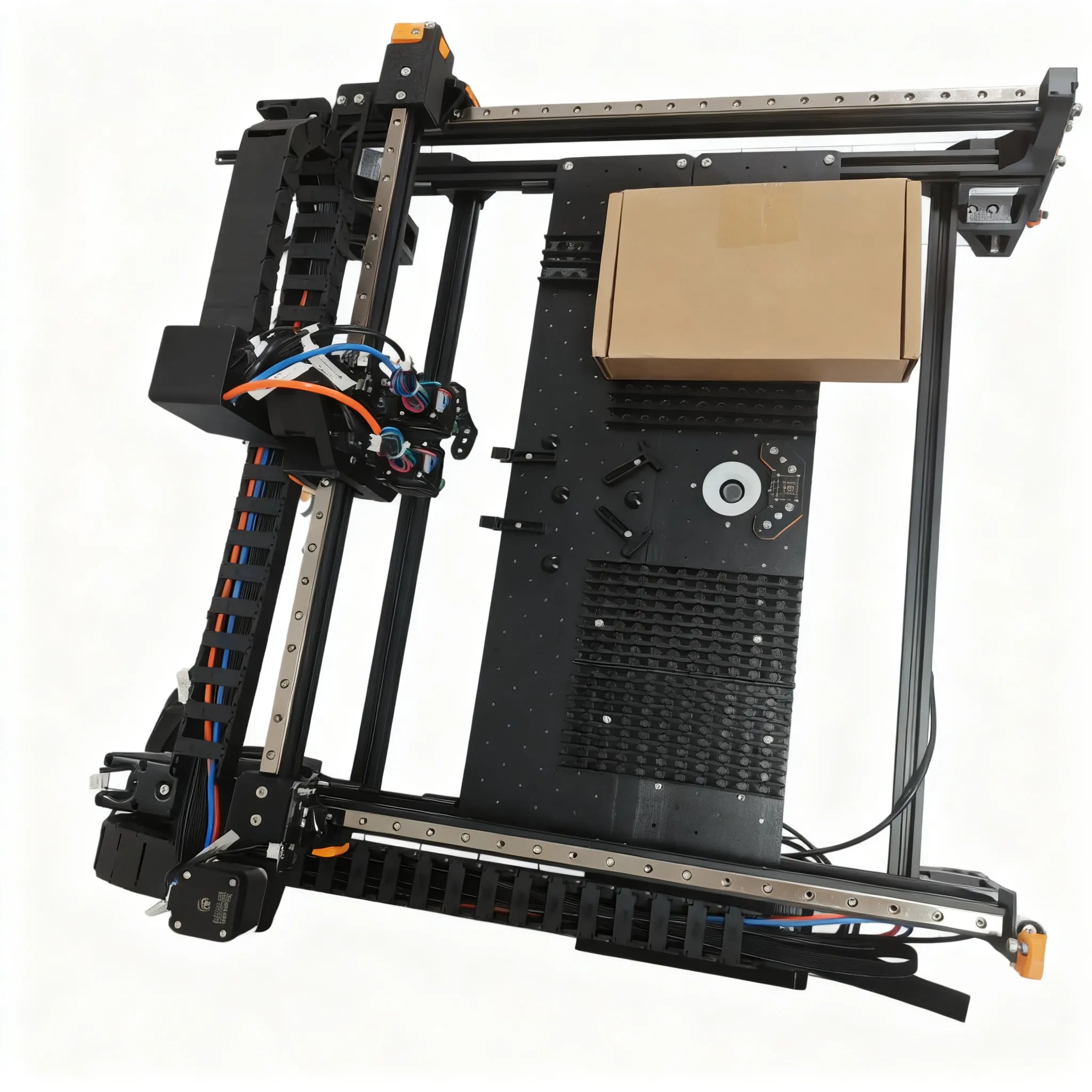
Where the numbers live
The thresholds and sensitivities are in the Marlin configuration, the commands that apply them at connection time are in OpenPnP's CONNECT_COMMAND, and pressing Home runs the driver's HOME_COMMAND, which sends an acceleration setting and then G28. If the homing method is set to ResetToFiducialLocation, OpenPnP continues past G28 into visual homing, which the calibration sequence covers.
The OpenPnP config published in the LumenPnP source repository has no M914 line in CONNECT_COMMAND at all, and no M906 line either. On a machine with endstops that absence is the answer: a homing fault on a stock machine is a switch, a cable or something in the way, not a stall threshold. Machine-specific files for the Vertex 4 live on the downloads page. If you change any of the values above by hand, record them, because the config variants there are pre-tuned and loading one replaces what you have.