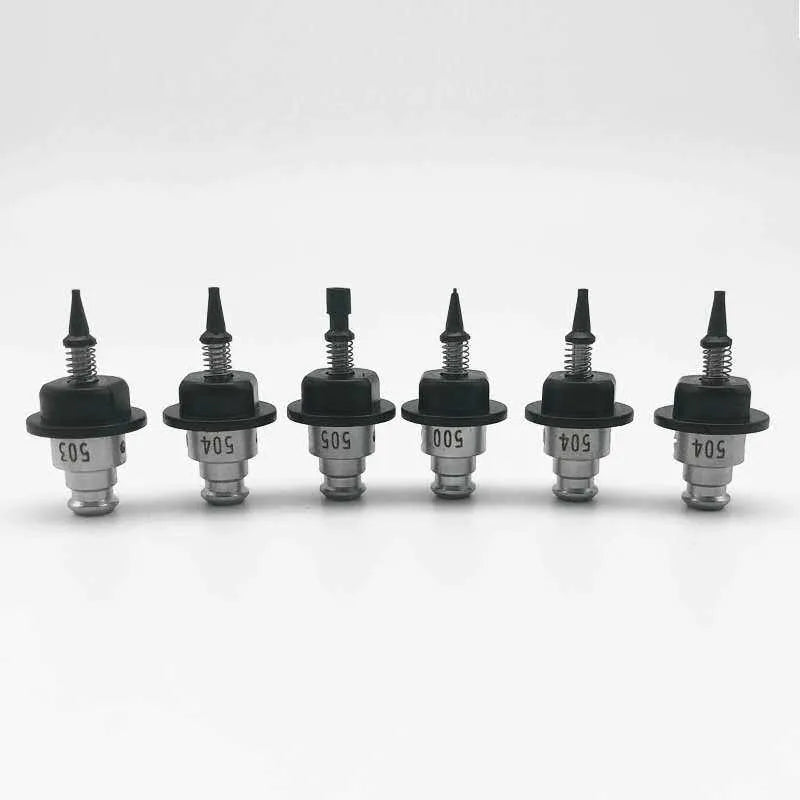
Verifying a Pick on a Vertex 4, Which Has No Vacuum Sensor
A Vertex 4 has no pressure sensor, so OpenPnP's default vacuum check fails on every pick and our FAQ tells you to set Vacuum Sensing → Method to None on each nozzle. That clears the pop-up. It also switches off every vacuum gate in the job processor, and it changes what the pick and place dwell times in the configuration mean. Both are worth knowing before the next dropped part gets blamed on a feeder.
Five check points, one switch
OpenPnP can test the vacuum at five places in a placement cycle. On the part-on side it checks after the pick, during alignment, and before placing. On the part-off side it checks before a pick and after a place. Each one is decided the same way, in ReferenceNozzle.isPartOnEnabled() and isPartOffEnabled():
- a sensing actuator has to be assigned to the nozzle, and
- the nozzle tip's measurement method has to be something other than None.
Pick None and all five go dormant in one edit, whatever the individual checkboxes are set to. The OpenPnP wiki is explicit that this is what None does: "None switches off the detection altogether (any configuration for another Measurement Method is still kept around)."
In the factory configuration Opulo keeps in the LumenPnP repository, all six tips already carry <method-part-on>None</method-part-on> and <method-part-off>None</method-part-off>, while part-on-check-after-pick and part-off-check-after-place are both true. The two nozzles still name their sensing actuators, VAC1 and VAC2. So the configuration looks like it is checking something and is not.
Nothing warns you either. OpenPnP's own configuration check only asks for a sensing actuator when at least one tip uses a method other than None, so a machine in this state passes that check with an actuator list that would otherwise be flagged.
The check that still runs, and what it does not do
The job processor's before-place step calls checkPartOn(nozzle, part). Two of its tests have nothing to do with hardware. They compare OpenPnP's own idea of what is on the nozzle against the part about to be placed:
- nothing loaded on the nozzle →
No part on nozzle before place. - a different part loaded →
Part mismatch with part on nozzle before place.
The nozzle's part field is set at the start of pick() and cleared at the end of place(), so these catch a bookkeeping fault: a script that cleared the field, a part swapped by hand, a job resumed in a strange state. If the part physically fell off after the pick, the field still says a part is there and both tests pass.
Bottom vision is the only thing looking at the part
The bottom vision page in the OpenPnP wiki says what this check is for: "Bottom Vision can also be used to determine if a pick failure occurred." It is the measurement that replaces a pressure sensor on this machine.
There is a catch in the wording. ReferenceBottomVision.findOffsets() tests the nozzle's part field before it takes a picture at all: if the part argument is null or the nozzle has nothing loaded, it throws No part on nozzle. The camera has not run yet at that point. The message you get when a part never left the tape is a different one, raised further down when the vision pipeline returns a model of null:
ReferenceBottomVision (R_0603_1608_Metric-R_Small): No result found.
That is what an empty field of view produces, because no contour is large enough to pass the filter and MinAreaRect has nothing to fit. The two phrases look similar and come from opposite ends of the machine, which decides where you look first: No part on nozzle. is a state problem in the software, No result found. is a real part that is not there.
The geometry check is separate and keeps working. Every alignment result is measured against the nozzle tip's Max. Pick Tolerance, 1.0 mm on all six factory tips and the class default as well:
Part <id> bottom vision offsets length <n> larger than the allowed Max. Pick
Tolerance 1.00 mm set on nozzle tip N045.
A part hanging off the tip at an angle, or one picked from a pocket it was not seated in, reaches the board unless this trips first.

The vision check the shipped configuration leaves off
OpenPnP can compare the size it measured against the size the footprint says the part should be, and its wiki points at exactly this use: "You can add a part size check, where the vision result is compared against a known good part size. This can serve as an alternative to vacuum sensing tests, to detect whether a pick was successful."
It is disabled in both the stock settings and Opulo's recommended settings in the shipped vision-settings.xml, which carry check-part-size-method="Disabled" with check-size-tolerance-percent="20". getPartCheckSize() returns null for Disabled and the check exits on its first line, so on a factory machine it never runs.
Switch it to one of the two working methods and it compares two numbers:
- Body size uses the footprint's body width and height.
- Pad extents uses the bounding box of every pad in the footprint.
The measured rectangle has to fall inside the nominal size plus or minus the tolerance percentage. Failures name all three figures, in whichever of the four directions went wrong:
Part <id> width too small: nominal <n>, limit <n>, measured <n>
One thing to get right first. Both numbers are converted through the camera's units per pixel, so part size check inherits every error from MM/Pixel Calibration. A scale that is 5% out pushes a correct pick close to the edge of a 20% window and an undersized one past it. Calibrate first, then decide whether a 0402 really needs the check on.
Dwell times stop being timeouts
pick() opens the vacuum valve and then calls establishPickVacuumLevel(nozzle pick dwell + nozzle tip pick dwell). That method has two branches, and which one you get depends on whether a vacuum graph exists, which in turn depends on the measurement method not being None:
- With sensing on and Establish Level? ticked, it reads the level in a loop and leaves as soon as the reading lands inside the tip's Vacuum Range, or when the dwell time runs out. The number is a ceiling.
- With the method set to None, the graph is null and the method falls through to
delay(milliseconds). The number becomes the exact time the valve stays open.
The factory tip values are 200 ms for N045, 300 ms for N08, N14 and N24, 400 ms for N40 and 500 ms for N75 on the pick side, and 100 ms for the first four and 200 ms for N40 and N75 on the place side. Both nozzle-level dwell fields are 0, so the totals are the tip numbers.
Those numbers were sized for a loop that usually exits early. With the loop gone, the same values are the whole contact time between tip and part. A large part that needs longer than its tip's number to pull down and seal has nothing left to tell you so, and the first sign is a missing part three steps later on the camera. Establish Level? has no effect in this state; it stays in the configuration for whenever you put a method back.
The place side behaves the same way. place() reads the tip's place-blow-off-level, 0.0 on all six factory tips, and turns the vacuum valve off without a blow-off pulse when it is 0. The establish call on that side sums nozzle and tip place dwell the same way the pick does.
You can still read the vacuum by hand
Setting the method to None does not remove the read path. In the factory configuration VAC1 and VAC2 keep their read commands, a pair of M260 moves that select a sensor channel and a M261 that asks for one byte back as decimal, and each nozzle keeps its sensing actuator assigned.
Machine Controls → Actuators, select the actuator, Read. The number comes back without any of the five gates being active. That matters for two reasons. You can watch the level during a pick without re-enabling a gate that was reporting failures on good picks, and you can collect real readings before you fill in a Vacuum Range. A range typed in from someone else's machine, or from a machine with a different pump, is the usual reason a working pick gets reported as a failure. The wiki's vacuum sensing page walks through this actuator test.
When a part still goes missing
Work through it in this order, because each step changes what the next one means:
- Part height and pick Z. A part height of 0 falls back to the tip's max part height and drives the nozzle down further than the part's thickness, and the Feeder Overview has the pick-position procedure for the Z side.
- Tip aperture. A tip that is too narrow for the part holds it weakly at the same vacuum level, and the failure arrives as a lost part rather than a failed pick. The nozzle compatibility table takes a part measurement and a tip number.
- The measurement itself. A shiny termination can tear the detected contour and return a width that came back small, which looks exactly like a bad pick. That case has its own page on shiny parts and bottom vision.
- The tape. Cut and spliced tape can sit a fraction low in the pocket, which is a pick-height problem wearing a feeder's clothes. Loading tape covers seating, and cutting and splicing covers the tape end that starts it.
If you have changed a nozzle number at any point, the work that gets invalidated by a tip swap belongs at the front of that list, since the tip's calibration and the vision background both go with the tip.