Steps Per mm and Microstepping
An OpenPnP job never mentions steps. Moves go out in millimetres and degrees, and the controller converts them into motor steps with a value OpenPnP cannot read. The factory profile for this machine is built that way: its move command is G1 {X:X%.4f} {Y:Y%.4f} {Z:Z%.4f} {A:A%.4f} {B:B%.4f} {FeedRate:F%.0f}, four decimals on every coordinate, and the string steps-per-mm appears nowhere in the file.
That leaves two scales in the machine, and a board that comes out the wrong size implicates either one. The first turns millimetres into motor steps. The second turns camera pixels into millimetres. Both produce the same symptom, and they are corrected in different places.
Where the value lives
OpenPnP's own wiki is direct about it: steps per mm "is usually not configured from within OpenPnP", although some controllers accept an M92 through the GcodeDriver. On a Marlin-based machine the compiled firmware owns the number.
Marlin keeps it in DEFAULT_AXIS_STEPS_PER_UNIT, and the comment above that line gives the array order as X, Y, Z [, I [, J [, K...]]], E0. The two example configurations for this board family, both in Marlin's own configuration repository, read:
- REV4:
{ 320, 320, 40, 4.44, 4.44, 40 } - REV3:
{ 1280, 1280, 40, 4.44, 4.44, 40 }
Only the first two entries differ. Z and both rotation axes carry the same numbers on either board.
Reading it back off the controller
Three G-code commands get you the live value, and none of them needs OpenPnP configured for it. M503 prints the settings currently in memory. A bare M92 with no arguments prints the steps-per-unit report, one entry per axis letter. Marlin's M114 includes stepper counts alongside the coordinates, and the factory profile's position request is M114 ; get position.
That last one is already in front of you if you have connected. The factory profile stores the last position report it received, and the numbers divide out to the firmware's steps per unit for every axis at once:
X:13.44 Y:174.43 Z:60.10 A:720.00 B:720.00 Count X:4302 Y:55819 Z:2404 A:3197 B:3197
| Axis | Count / coordinate | Steps per unit |
|---|---|---|
| X | 4302 / 13.44 | 320.1 per mm |
| Y | 55819 / 174.43 | 320.0 per mm |
| Z | 2404 / 60.10 | 40.0 per mm |
| A and B | 3197 / 720.00 | 4.44 per degree |
M114 prints the coordinate to two decimals, so at 320 steps/mm one printed digit is worth 3.2 steps and the ratios land within a fraction of a percent. The reading earns its keep in a different way: the same numbers tell you which firmware the board is running. A machine reporting 1,280 on X and Y has the older board revision's firmware loaded, which changes which OpenPnP configuration file matches it (see Downloads).
Motor turns to steps per millimetre
The value follows from the mechanics:
steps per mm = (full steps per motor turn × microsteps) ÷ millimetres of travel per motor turn
On this family of machines the X axis is a NEMA 17 pulling a GT2 belt along an MGN12H rail, and the same belt and pulley arrangement carries the Z motors. GT2 belt has a 2 mm pitch, so a 20-tooth pulley moves the belt 40 mm per turn, and a 1.8° stepper is 200 full steps per turn. With the microstep counts from the two config files, all of it falls out:
| Board | Microsteps | Microsteps per turn | Steps per mm | One step |
|---|---|---|---|---|
| REV4 | 64 | 12,800 | 320 | 3.125 µm |
| REV3 | 256 | 51,200 | 1,280 | 0.78 µm |

The pulley did not change between revisions. The microstep count changed by a factor of four, and the steps per mm value moved by exactly the same factor, which is what you would expect if the two files describe the same machine. The pair of files turns up on the sensorless homing page as well, where they also disagree about stall sensitivity.
Z comes out the same way: 8 microsteps over 40 steps/mm is 40 mm of travel per motor turn, one step being 25 µm. The rotation axes sit at 4.44 steps per degree, which is 1,600 microsteps for a full turn, or 200 full steps at 8 microsteps with no reduction between motor and nozzle. The 4.44 is a truncation, since 200 steps and 8 microsteps over 360° is 4.4444. A commanded full revolution therefore lands 0.36° short of the target, about 3 µm of travel at the 0.5 mm radius of a 0402 end. That is small next to any placement budget, and it is a constant offset in every rotation the machine makes.
Marlin's own Configuration.h ships { 80, 80, 400, 500 } as the default for X and Y, which is the same arithmetic at 16 microsteps. The REV4 board runs four times that, and the REV3 board sixteen times, on identical hardware.
The ruler test
OpenPnP's procedure for verifying the value: put a ruler of at least 100 mm on the bed where the camera can see it, jog until the crosshair tracks the ruler edge, align the crosshair on a millimetre line, jog 100 mm, and read where it landed. Past the 100 mm mark means the setting is too high, short of it means too low. Turn the ruler 90° and repeat for Y. The same page notes that the closer the reference is to the length of the axis, the better the accuracy.
That note deserves arithmetic. Reading a 100 mm span to within ±0.25 mm is a 0.25% scale error, and on a 500 mm axis that is 1.25 mm of error at the far end, twelve times the total placement budget IPC-7351 gives a chip part. A longer ruler costs nothing to use and divides that error down.
Belt tension belongs in the same pass, before any measurement: slack moves a carriage as surely as a wrong scale does, and the backlash page works through how to tell the two apart.
Axis scale and camera scale look the same
Placement that drifts further out across a board shows up in the FAQ, answered there with the camera's mm/pixel calibration. That is the right call when the camera's scale is the wrong one, and the ruler test is what tells you which of the two you have.
The mm/pixel procedure measures a physical feature: you set the object dimension to 5 mm and drag a box around a golden guideline square that is exactly 5 mm on a side. Because the reference is a real 5 mm, an axis scale error cannot hide inside that measurement. It can hide in the next step. If you tune the Units Per Pixel numbers until the click-to-move check lands on the corner of the square, you have absorbed the axis error into the camera's scale, and every millimetre the machine measures from pixels afterwards carries the mistake. A ruler's length cannot be adjusted to agree with you, which is the reason to run that test first.
OpenPnP's ordering says the same thing. Steps Per Mm sits under Mechanical Machine Adjustments in the wiki, ahead of any camera work, with the reason given: you are about to capture measurements from the machine, so the frame of reference needs to stop changing first.
Resolution is a different field
Machine Setup shows a Resolution box on every axis, and the factory profile records 0.0001 mm there, which is also the source default. That number has nothing to do with how far the axis moves per step. Its own documentation says what it does: the commanded coordinate and the current one are compared after rounding to the resolution, to decide whether the axis actually has to move, and to suppress differences left over from floating point arithmetic.
The mechanics are 31 times coarser than that box. One step at 320 steps/mm is 0.003125 mm. The commands are finer than the mechanics as well. The profile asks for rotations in ten-thousandths of a degree against a step of 0.225°, and Z in ten-thousandths of a millimetre against a 25 µm step. The firmware rounds each request to the nearest step, so the scale has to be right rather than approximately right.
Changing it, and why the change may not stick
Both configurations enable EDITABLE_STEPS_PER_UNIT, so M92 is accepted at runtime. Neither enables EEPROM_SETTINGS. In Marlin that second switch decides whether there is anywhere to store the value: without it, the settings save function is compiled down to logging "EEPROM disabled" and returning false. A number set with M92 lives in RAM until the board resets, and then it is gone.
Two ways around that. The OpenPnP wiki suggests sending M92 from the GcodeDriver as part of the connect or homing command, so it is re-applied on every connect. The stock profile does not do this, which means the numbers it runs on are the ones compiled into the firmware. The other route is to correct the microstep count and rebuild, which is the fix when the mechanical value is genuinely wrong. When the number is merely unknown, read it first.
For a machine that arrived calibrated, none of this needs doing. The risk sits in the moments when firmware changes underneath the profile: a reflash, a mainboard swap, or an X axis reassembled with a different pulley. Any of the three can move the number, and the REV3 and REV4 files sitting next to each other in the same repository, identical except for two entries, are a reminder that the axis scale is a property of the board you have rather than of the machine model.
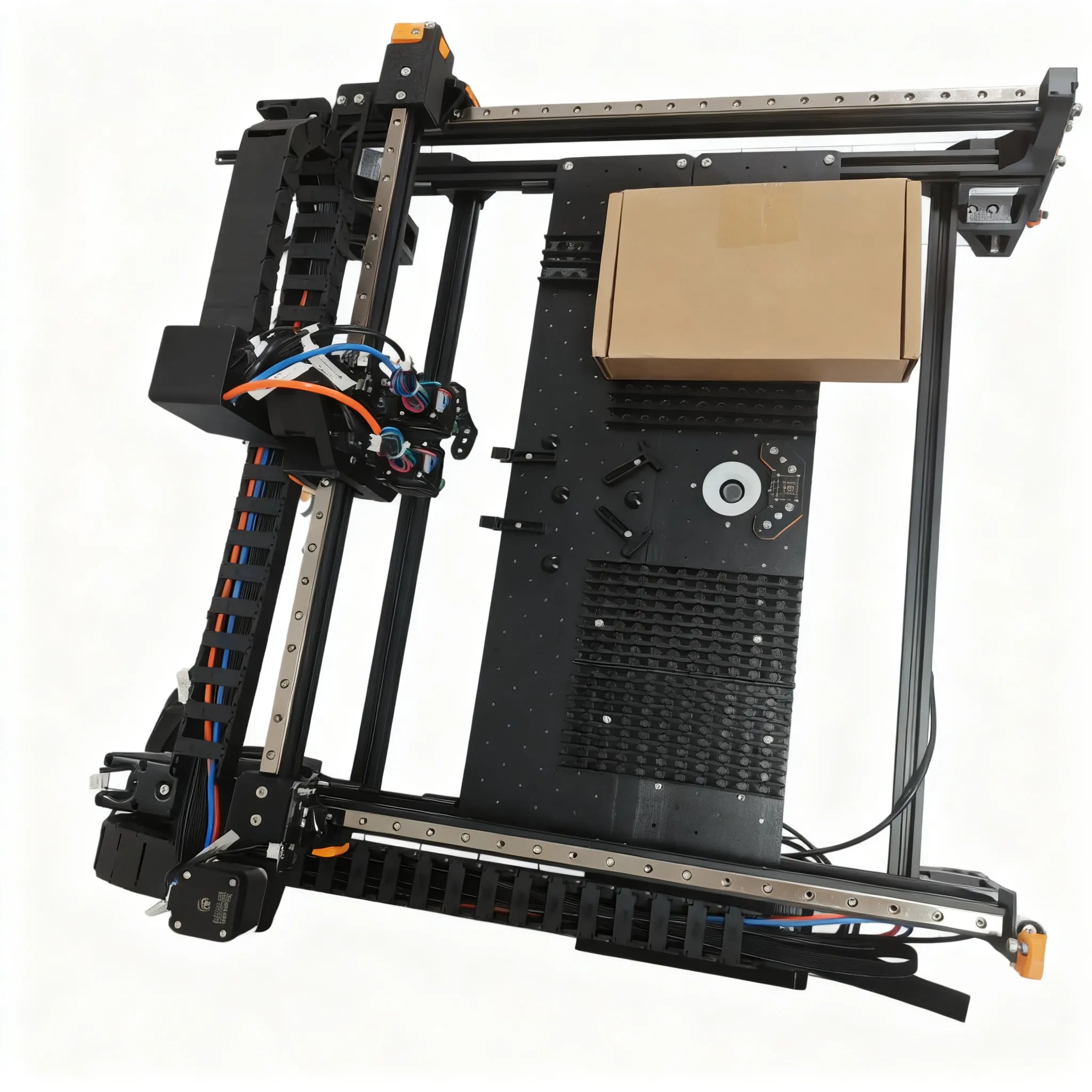
A Vertex 4 is $1,499 and arrives assembled and calibrated, with Marlin on the mainboard, a 500 × 400 mm work area, 50 feeder slots and an OpenPnP configuration matched to the firmware version and the nozzle variant on the downloads page. The introduction page has the full spec table. The reading above is what you need on the day one of those two stops matching.