Photon Feeder — What It Is and How It Talks to Vertex 4
PikkoBot ships the Vertex 4 with the Photon feeder as the native auto feeder. It is an open-source SMT tape feeder originally designed by Opulo for the LumenPnP platform, and it feeds components as small as 0402 off 8 mm, 12 mm, 16 mm and 24 mm carrier tape. On a Vertex 4 it drops straight into a 20 mm × 20 mm v-slot rail and shows up in OpenPnP as an addressable device on the RS-485 bus.
This page covers what the Photon feeder is, how it talks to the machine, and how it differs from the AS feeder line. For slot budget and tape width math see Feeder Overview; for physical installation see Mounting Feeders.
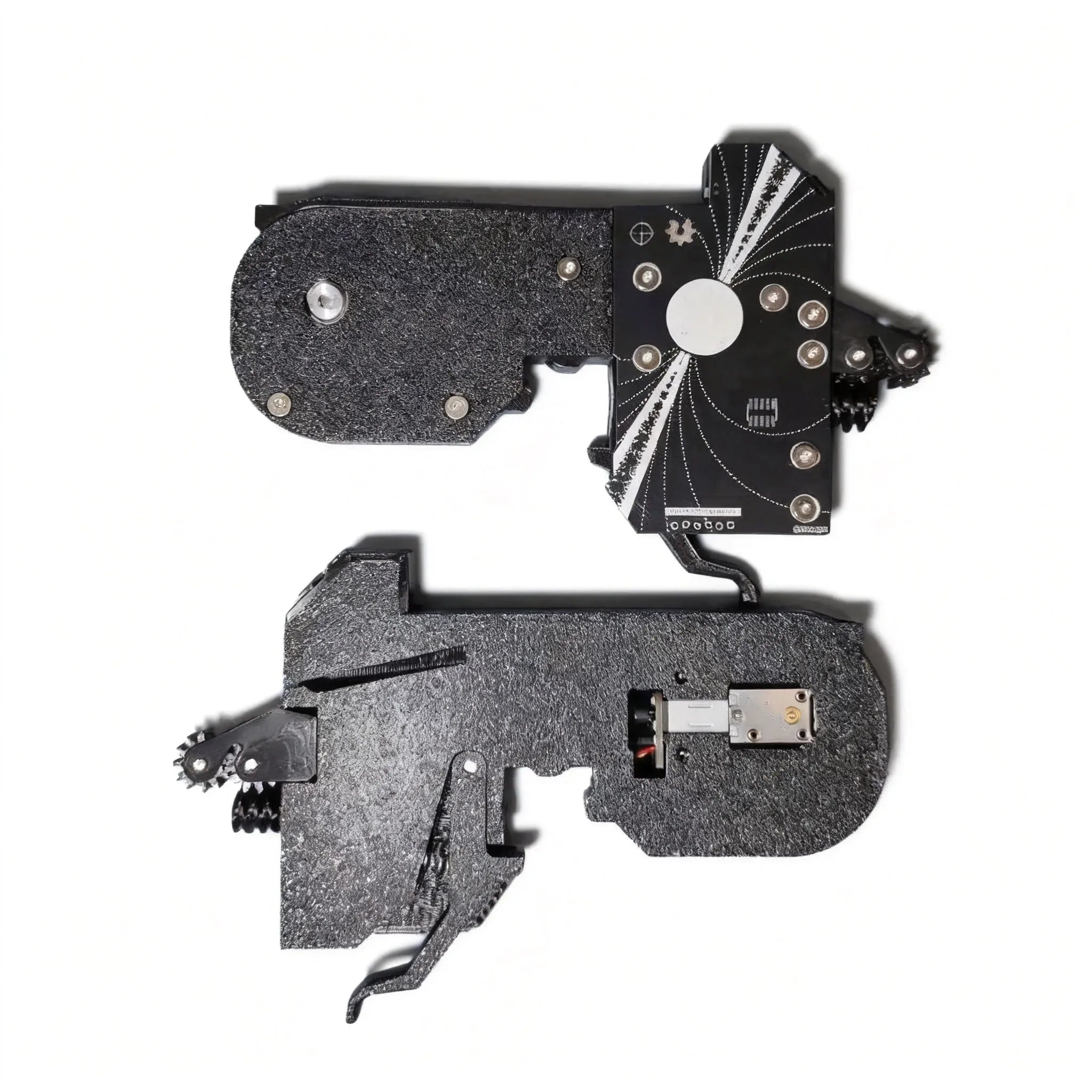
What Makes It a Photon Feeder
The feeder is motorised and addressable. It drives tape forward and backward, peels cover film, and retracts it without you touching the reel. Every feeder carries a unique UUID on its RS-485 bus address, so OpenPnP can scan the rail, find each feeder by number, and send it M485 commands through the host controller.
Two things you should know before ordering:
- Protocol is Photon over RS-485. The feeder expects a Marlin host with
M485support and RS-485 enabled. A machine that only speaks USB or CAN to its toolboard will not see it. - Tape width is physical, not software-selectable. An 8 mm feeder takes 8 mm tape. If your BOM has parts on 12 mm tape, you need a 12 mm feeder — the pocket width, pitch and depth are set by the tape width, not by a setting in OpenPnP.
How It Appears in OpenPnP
OpenPnP finds feeders by scanning slot addresses on the bus. Each slot answers with its UUID, and the feeder appears in Machine Setup as a PhotonFeeder actuator with a slot number. From there you assign part numbers to slots and OpenPnP handles indexing, peeking and picking.
If OpenPnP does not see a feeder you just mounted, the usual causes are:
- No power. Check the status light — off means no 24 V on the bus. Reseat the feeder or check the harness.
- UUID conflict. Two feeders with the same UUID fight silently; one works, the other is absent with no error. Reassign via Photon Feeder UUID Setup.
- Wrong driver. On a standalone host the
PhotonFeederDataactuator can bind to the machine controller instead of the feeder controller, producingDriver configuration is missing ACTUATOR_READ_COMMAND. See Running Photon Feeders From a Non-LumenPnP Host.
Buttons, Lights and Drive Mode
The feeder face has forward and backward buttons plus a status light:
- Tap forward/backward: feeds tape 2 mm in that direction.
- Hold forward/backward: drives tape at full speed.
- Hold both buttons: toggles drive mode vs peel mode.
- Gold light = peel mode; blue light = drive mode.
A common support case looks like a stuck feeder: in peel mode, holding forward peels cover film instead of driving tape, so nothing advances. Check the light colour before assuming a hardware fault.
Photon vs AS Feeder
PikkoBot also sells the AS2 servo feeder line. The two are not interchangeable:
| Photon feeder | AS2 servo feeder | |
|---|---|---|
| Protocol | Photon over RS-485 | AS protocol |
| Controller need | Marlin host with M485 / RS-485 | AS_FCB_V1.0 control board (16 feeders per board) |
| Price (4-pack, 8 mm / 12 mm) | $299 | $199 |
| Price (4-pack, 16 mm / 24 mm) | $319 / $329 | $199 (every width) |
| Slots on Vertex 4 | 1 (8/12 mm), 2 (16/24 mm) | 1 (every width) |
Buy Photon if you are running on a Vertex 4 or any LumenPnP-class host with RS-485 already present. Buy AS2 if you are building a custom rail and want the cheaper per-feeder price and one-slot cost at every width.
Slot Budget on Vertex 4
The Vertex 4 has 50 feeder slots:
- 8 mm and 12 mm Photon feeders take one slot each.
- 16 mm and 24 mm Photon feeders take two slots each.
- Wide tape is expensive in rail space: two 24 mm feeders occupy the same space as four 8 mm feeders.
For a worked slot-budget example, see Feeder Overview.
Firmware and Recovery
A Photon feeder that stops answering the bus usually needs a firmware reflash rather than replacement. The recovery path is STM32CubeProgrammer over DFU, and the exact button sequence (hold BOOT, press RESET ten seconds, release, wait, release BOOT) is covered in Photon Feeder Firmware Recovery.
Related Pages
- Feeder Overview — buttons, drive modes, 50-slot budget
- Mounting Feeders — spool arm, ramp, rail insertion
- Loading Tape — seating tape and cut-tape strip feeders
- Photon Feeder UUID Setup — reassigning duplicate addresses
- Running Photon Feeders From a Non-LumenPnP Host — M485, RS-485 pins, OpenPnP actuator binding
- Photon Feeder Firmware Recovery — DFU reflash procedure
Need help? Check the Calibration guide or visit the Store for replacement feeders.